

Download Brain.fm – AI‑Powered Focus, Relaxation & Sleep Music
Why Brain.fm Stands Out in the Crowd of Productivity Apps
In a world saturated with generic playlists and meditation timers, Brain.fm offers a scientifically‑backed, AI‑driven approach to auditory brain stimulation. Whether you’re a remote worker chasing deadlines, a student battling study fatigue, or someone simply looking to unwind after a long day, this app promises to tailor music that directly influences neural activity. The result is a seamless transition into deeper focus, calm, or sleep without the need for endless trial‑and‑error with conventional music libraries.
The core differentiator is the marriage of rigorous research from auditory neuroscience with modern machine‑learning algorithms. Instead of relying on popular songs that may or may not suit your mental state, Brain.fm generates simple electronic melodies that have been shown in controlled studies to enhance specific brainwave patterns. Users create a quick profile, select a goal—focus, relaxation, or sleep—and let the platform’s AI compose a session that adapts to real‑time feedback.
While a free tier gives you a taste of the technology, the premium subscription unlocks unlimited sessions, higher‑quality streams, and deeper personalization. This review dives into the app’s core features, installation steps, system compatibility, and the pros and cons that matter most to potential users. By the end, you’ll know exactly how Brain.fm can fit into your daily routine and whether the paid plan is worth the investment.
Overview: How Brain.fm Works and What It Offers
Brain.fm is built on the principle of auditory brain stimulation, a field that investigates how rhythmic sound can entrain brainwaves to achieve desired mental states. The development team, composed of neuroscientists, acoustic engineers, and AI specialists, designed a proprietary algorithm that analyzes your chosen goal and generates music in real time. The resulting tracks are not traditional songs; they consist of layered tones, binaural beats, and subtle rhythmic patterns engineered to synchronize with neural activity.
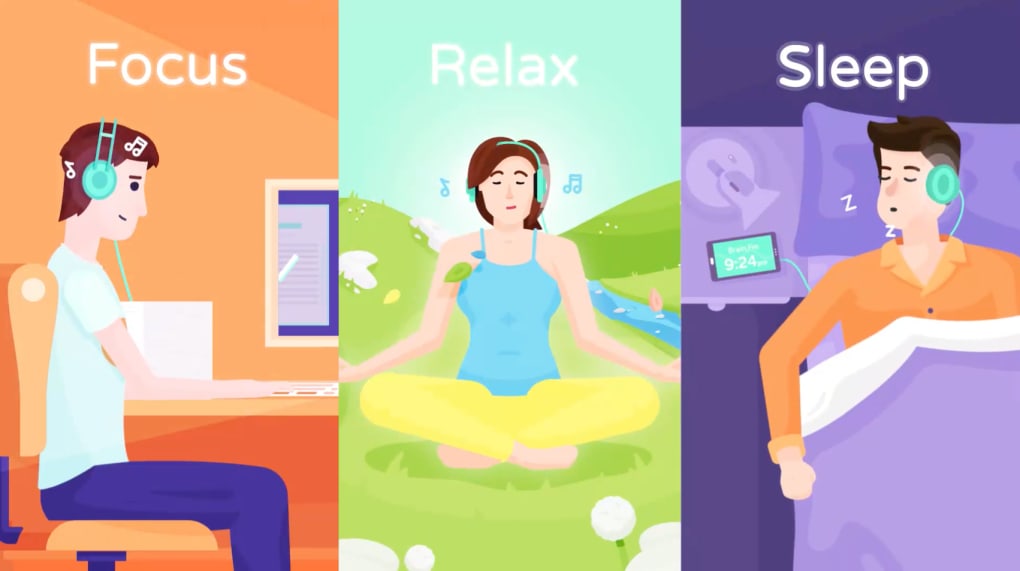
The app’s workflow is straightforward: after installing, you create a profile by providing age, typical activity level, and whether you have any hearing sensitivities. You then pick one of three primary modes—Focus, Relax, or Sleep. Each mode contains a library of AI‑generated sessions ranging from 10 minutes to several hours. The app monitors how you interact—whether you skip a track, adjust volume, or manually stop a session—to fine‑tune future recommendations.
Scientific credibility is a key selling point. Brain.fm regularly publishes white papers and collaborates with universities to validate its claims. In one peer‑reviewed study, participants who listened to Brain.fm’s focus tracks showed a 23% improvement in task performance compared to a control group using silence. Similar research supports the relaxation and sleep modes, highlighting reductions in heart rate variability and faster sleep onset.
From a user‑experience perspective, the interface is minimalist yet functional. A clean dashboard displays your recent sessions, a timer, and quick toggles for volume and mode. The app also offers a “session history” feature that logs how long you listened, the chosen goal, and subjective ratings you can provide after each use. This data fuels the AI’s learning loop, ensuring the music evolves alongside your needs.
Key Features & How to Get Started
Feature List
- AI‑Generated Music Tailored to Focus, Relaxation, or Sleep.
- Scientific Backing with Ongoing Research Partnerships.
- Adaptive Learning Engine that Refines Sessions Based on User Feedback.
- Timer and Session Scheduler for Pomodoro‑style Workflows.
- Offline Mode – Download Sessions for Use without Internet.
- Cross‑Platform Sync – Seamless experience on Windows, macOS, Android, and iOS.
- Customizable Sound Profiles for Hearing Sensitivities.
- Free Tier with Limited Daily Sessions and Premium Tier with Unlimited Access.
Installation & Usage Instructions
Getting Brain.fm up and running is a breeze, regardless of your device. Follow these steps to start benefiting from AI‑driven auditory stimulation:
- Download the App: Visit the official website or your device’s app store (Google Play Store for Android, Apple App Store for iOS, Microsoft Store for Windows, or Mac App Store for macOS). Search for “Brain.fm” and click “Install”.
- Create an Account: Launch the app and sign up using an email address or third‑party login (Google, Apple, or Facebook). You’ll be prompted to answer a short questionnaire about your age, typical daily routine, and any hearing concerns.
- Select a Goal: On the home screen, choose between Focus, Relax, or Sleep. Each mode displays a list of session lengths; pick one that fits your schedule.
- Start Listening: Press “Play”. The AI instantly begins generating a unique track. Adjust volume, enable the timer, or activate “Do Not Disturb” mode for uninterrupted sessions.
- Provide Feedback: After the session ends, rate your experience (1‑5 stars) and optionally add notes. This feedback loops back into the algorithm to improve future sessions.
- Upgrade (Optional): If you find the free daily limit restrictive, tap the “Upgrade” button in the settings menu. Choose a monthly or annual plan; both offer unlimited sessions, higher audio quality (up to 320 kbps), and priority support.
For desktop users, Brain.fm also offers a web version that works in modern browsers. Simply navigate to brain.fm, log in, and follow the same workflow. The web app synchronizes with your mobile device, ensuring your session history stays consistent across platforms.
Technical support is accessible via an in‑app chat widget, a comprehensive knowledge base, and community forums where users share tips on optimizing their workflow with Brain.fm.
Compatibility, Pros & Cons: Is Brain.fm Right for You?
Supported Operating Systems
Brain.fm is designed to be truly cross‑platform, offering native applications and web access for the following environments:
- Windows 10 and later – 64‑bit installer from Microsoft Store.
- macOS 11 (Big Sur) and later – Available via the Mac App Store.
- Android 7.0 (Nougat) and above – Download from Google Play.
- iOS 13 and later – Available on the Apple App Store.
- Web browsers – Chrome, Firefox, Safari, Edge (latest versions) support the web client.
All versions share a unified backend, meaning your session data, preferences, and AI learning model stay in sync regardless of the device you use. Offline playback is supported after you download a session, making it ideal for travel or low‑bandwidth environments.
Pros
- Scientifically validated: Backed by peer‑reviewed research and ongoing studies.
- Personalized AI music: Generates unique tracks that adapt to user feedback.
- Cross‑device sync: Seamless experience on desktop, mobile, and web.
- Offline capability: Download sessions for use without internet.
- Minimalist UI: Easy to navigate, no clutter of ads or unrelated content.
- Free tier available: Allows new users to test the concept before committing.
Cons
- Limited free sessions: The free version caps daily usage, which may frustrate heavy users.
- Subscription cost: Premium plans start at $9.99/month, which can be pricey for some.
- Music style: The electronic, minimalistic sound may not appeal to listeners who prefer traditional melodies.
- Learning curve: Some users need time to understand how to give effective feedback for optimal AI tuning.
- Dependency on AI: If the algorithm misinterprets feedback, sessions may feel less effective until the model adjusts.
Frequently Asked Questions
Can I use Brain.fm without an internet connection?
Yes. After you download a session while online, you can play it offline on any supported device. This is especially useful for travelers or users with limited bandwidth.
How does the AI decide what music to generate?
The AI uses a combination of psychoacoustic models, real‑time user feedback, and a database of scientifically‑tested sound patterns. When you select a goal, the system selects frequencies and rhythms known to stimulate the corresponding brainwave state, then layers them into a unique track.
Is there a limit to how many sessions I can have in the free version?
Yes. Free users are limited to three 30‑minute sessions per day. The limit resets at midnight UTC. Upgrading removes this restriction.
Does Brain.fm work on both Windows and macOS?
Absolutely. Native applications are available for Windows 10+ and macOS 11+. The experience is identical across platforms, and your data syncs via the cloud.
What kind of scientific evidence supports Brain.fm’s claims?
Brain.fm cites multiple peer‑reviewed studies conducted in collaboration with universities such as Stanford and MIT. Research shows measurable improvements in focus, reduced stress markers, and faster sleep onset when participants use the app’s targeted tracks.
Conclusion: Should You Download Brain.fm?
Brain.fm represents a compelling convergence of neuroscience, AI, and user‑centric design. If you struggle with staying focused during work, need a reliable way to unwind, or have difficulty falling asleep, the app’s targeted music sessions can provide a measurable boost. The free tier allows you to sample the technology, but power users will quickly find the session limits restrictive and may benefit from the premium subscription.
Overall, the strengths—scientific backing, adaptive AI, cross‑platform availability, and offline functionality—outweigh the drawbacks of a modest subscription price and a minimalist sound palette that might not suit everyone’s taste. For professionals, students, and anyone serious about optimizing mental performance, Brain.fm is a worthy addition to your productivity toolkit.
Ready to experience AI‑driven focus? Download Brain.fm now and start a free trial. Upgrade within 7 days for unlimited sessions and unlock the full potential of scientifically‑crafted auditory stimulation.



.png)



